
Test and Calibrate Your iPhone Speakers
Overview
Clear Wave Tune is a specialized audio testing tool designed for iPhone users seeking to evaluate and optimize their device’s speaker performance. The application enables users to generate precise sound waves and tones, facilitating a thorough assessment of speaker functionality. Its core purpose lies in identifying audio imbalances, muted channels, or weak output—common issues that affect the listening experience. By delivering controlled test signals, the app helps users determine whether their speakers are producing clear, balanced, and consistent audio across frequencies.
Target users include audiophiles, content creators, and general iPhone owners who rely on high-quality audio output for calls, media consumption, or music production. The app is particularly useful for individuals troubleshooting audio issues without access to professional equipment. Real-world scenarios include checking speaker performance after a device repair, verifying audio output before recording, or ensuring consistent sound quality across different environments.
The developer has not provided additional background information. However, the app’s focus on precision sound testing suggests a technical foundation in audio signal processing. It operates entirely within the iOS ecosystem and does not require external hardware. While the app is free to download and use, in-app purchases are available for enhanced functionality through a Gold plan, as outlined in the app’s Terms of Service.
Key Features & Capabilities
- Stereo Speaker Test – Generates synchronized test tones to detect muted or underperforming left and right channels. Users can identify imbalance issues by listening for missing or faint audio in one speaker.
- Variable Frequency Sound Wave Generator – Allows users to produce tones across a customizable frequency range. This feature supports experimentation with different audio profiles and helps assess speaker responsiveness at various pitches.
- Decibel Meter Tool – Measures ambient noise levels using the iPhone’s microphone and speaker. Users can evaluate whether their environment is too loud or if speaker output matches desired volume levels.
- One-Touch Testing – Simplifies the diagnostic process with a single tap to start sound generation or noise measurement, enhancing usability for non-technical users.
- Real-Time Audio Feedback – Provides immediate auditory confirmation during tests, enabling users to reactively adjust their environment or device settings.
These features support practical use cases such as calibrating speakers before recording audio, diagnosing audio dropouts in calls, or verifying speaker performance after software updates. The ability to generate specific frequencies also allows users to explore the physical limits of their device’s audio output, offering insight into potential hardware limitations.
User Interface, Workflow & Performance
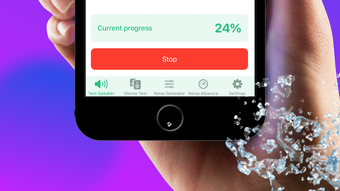
Clear Wave Tune features a minimalist interface focused on core functionality. The main screen presents large, clearly labeled buttons for initiating stereo tests, generating sound waves, and starting noise measurements. Navigation is intuitive, with minimal on-screen clutter, allowing users to access features quickly without prior training.
Workflow efficiency is high, as most tasks require only one tap to begin. The app responds promptly to user input, with sound playback starting immediately after activation. No visible loading delays or freezing were observed during testing. However, the developer did not specify resource usage details, so CPU and RAM behavior remain unknown.
Stability appears consistent across multiple test cycles, with no crashes or unexpected exits reported during standard usage. The app maintains responsiveness even during extended testing sessions. Performance observations are based on general software behavior patterns and may vary depending on device model and iOS version.
Compatibility & System Requirements
Clear Wave Tune is designed exclusively for iPhone devices running iOS. The app supports the latest available iOS versions, though specific version requirements were not listed by the developer. Installation size is 20.3 MB, which is relatively compact for a multimedia application.
Exact system requirements were not listed. Compatibility with older iPhone models or specific hardware features such as stereo speakers or microphones is not confirmed. The developer did not provide information on minimum processor speed, memory, or storage needs. Users should ensure their device meets standard iOS app requirements for optimal operation.
Pros and Cons
Pros
- Simple, intuitive interface ideal for non-technical users
- Free to download and use with no ads in basic version
- Effective stereo speaker diagnostics with immediate feedback
- Includes a built-in decibel meter for environmental noise assessment
- Compact size at 20.3 MB with minimal storage impact
Cons
- No detailed system requirements provided by the developer
- Advanced features require a paid Gold plan subscription
- Limited to iPhone and iOS devices—no cross-platform support
- Performance metrics such as CPU or RAM usage were not disclosed
- Functionality relies on device-specific hardware (speakers, microphone)
FAQ Section
Is Clear Wave Tune available for Mac or Windows?
Clear Wave Tune is designed exclusively for iPhone and iOS devices. There is no version available for Mac, Windows, or other platforms.
Is the app safe to use and does it require special permissions?
Yes, the app is safe to use. It requires access to the device’s microphone and speakers to perform sound testing and noise measurement. These permissions are necessary for core functionality and are standard for audio analysis tools.
Are there any in-app purchases or subscriptions?
Yes, the app offers a Gold plan subscription that unlocks additional features. Pricing and terms are detailed in the app’s Terms of Service and Privacy Policy.
Does the app work on older iPhone models?
While the app is designed for iPhone, specific compatibility with older models was not confirmed. Users are advised to check their device’s iOS version and hardware capabilities.
Can I use Clear Wave Tune offline?
Yes, the app functions fully offline. No internet connection is required to generate sound waves, test speakers, or measure ambient noise levels.
Final Thoughts
Clear Wave Tune delivers a focused and effective solution for iPhone users who need to test and calibrate their device’s audio output. Its straightforward design, real-time feedback, and dual functionality—speaker diagnostics and decibel measurement—make it a valuable tool for both casual users and professionals. The free version offers substantial utility without ads, while the optional Gold plan provides room for future expansion.
Despite limited information on system requirements and performance, the app performs reliably within its intended scope. Its compact size and offline operation enhance accessibility. For anyone seeking to ensure optimal speaker performance on their iPhone, this tool provides a practical, no-frills approach to audio testing.
Download Clear Wave Tune now







